Base64 to Image Converter
Paste your Base64 string here
or click to paste from clipboard
Image Preview
Image Information
Base64 to Image Converter – Decode Base64 Data into Image Instantly
Ever copied a long Base64 string from an API, database, or HTML file and wondered how to turn it back into a usable image? Our Base64 to Image Converter is built to solve exactly that problem, quickly, accurately, and without any technical complexity.
This online tool allows you to decode Base64 strings into real image files directly in your browser, making it ideal for developers, designers, students, and anyone working with encoded image data.
What Is Base64 Image Encoding and Why Is It Used?
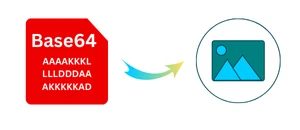
Base64 encoding converts binary image data into plain text, allowing it to be safely transmitted through systems that only support text, such as JSON APIs, HTML emails, or databases.
However, Base64 data is not visually readable. To view or reuse the image, it must be decoded back into its original format. That’s where an online Base64 to Image Converter becomes essential.
What Does This Base64 to Image Converter Do?
This tool decodes Base64-encoded image strings and reconstructs them into viewable image files. It automatically detects supported image formats and generates a downloadable image without data loss.
You can use it to:
Convert Base64 to a PNG image
Decode Base64 to JPG or JPEG
Restore images from Base64 strings in APIs
Extract images embedded in HTML or CSS
How to Convert Base64 to Image Online (Step-by-Step)
Paste your Base64 image string into the input field
Make sure the string is complete and valid
Click the “Paste” button
Preview the decoded image instantly
Download the image to your device
The conversion happens locally in your browser and completes in seconds.
Supported Image Formats
The converter supports decoding Base64 data into commonly used image formats, including:
PNG
JPG / JPEG
WebP
GIF (static images)
If the Base64 string includes image headers, the tool automatically identifies the correct format. If you want to change the image format, go to the image to PNG, JPG, JPEG, or WebP converter Tool.
What Are the Common Problems The Base64 to Image converter Tool can easily solve?
Base64 Image from API Not Showing
Developers often receive Base64 images from APIs that cannot be previewed directly. This tool decodes them instantly.
Embedded Images in Code
Extract images from HTML, CSS, or JSON files where images are stored as Base64 strings.
Debugging & Testing
Quickly verify whether a Base64 string represents a valid image.
Is This Base64 to Image Converter Safe to Use?
Yes. This tool runs entirely in your browser. Your Base64 data is not uploaded, stored, or shared with any server. Once you close the page, the data is gone.
Why Use This Base64 to Image Converter?
Clean and distraction-free interface
Accurate decoding with format detection
No watermark or forced sign-ups
- Also, work offline once loaded
Works on desktop and mobile devices
Free and unlimited usage
- Fully Secure and private
Built for reliability, privacy, and ease of use.
Convert Now
Paste your Base64 string and convert it into an image in seconds, no registration, no upgrade Plans, no setup required.
Frequently Asked Questions
Can I convert Base64 to image without coding?
Yes. This tool is designed for non-technical users as well as developers.
Does it support large Base64 image strings?
Yes, as long as your browser can handle the data size.
Can I convert Base64 to PNG or JPG?
Yes. The output format is automatically detected from the encoded data.
Is this Base64 to image converter really free?
Yes. There are no hidden limits or restrictions.
Does the tool store my data?
No. All processing happens locally in your browser.
Final Thoughts
If you regularly work with encoded image data, a reliable Base64 to Image Converter is essential. This tool simplifies the decoding process, protects your privacy, and helps you turn unreadable Base64 strings into usable image files instantly.