Looking for a quick way to resize your images without losing quality? You’re in the right place. Our Free Image Resizer Online helps you adjust image size for websites, social media, and professional use all within seconds. You don’t need any design skills or paid tools. It’s simple, fast, and completely free.
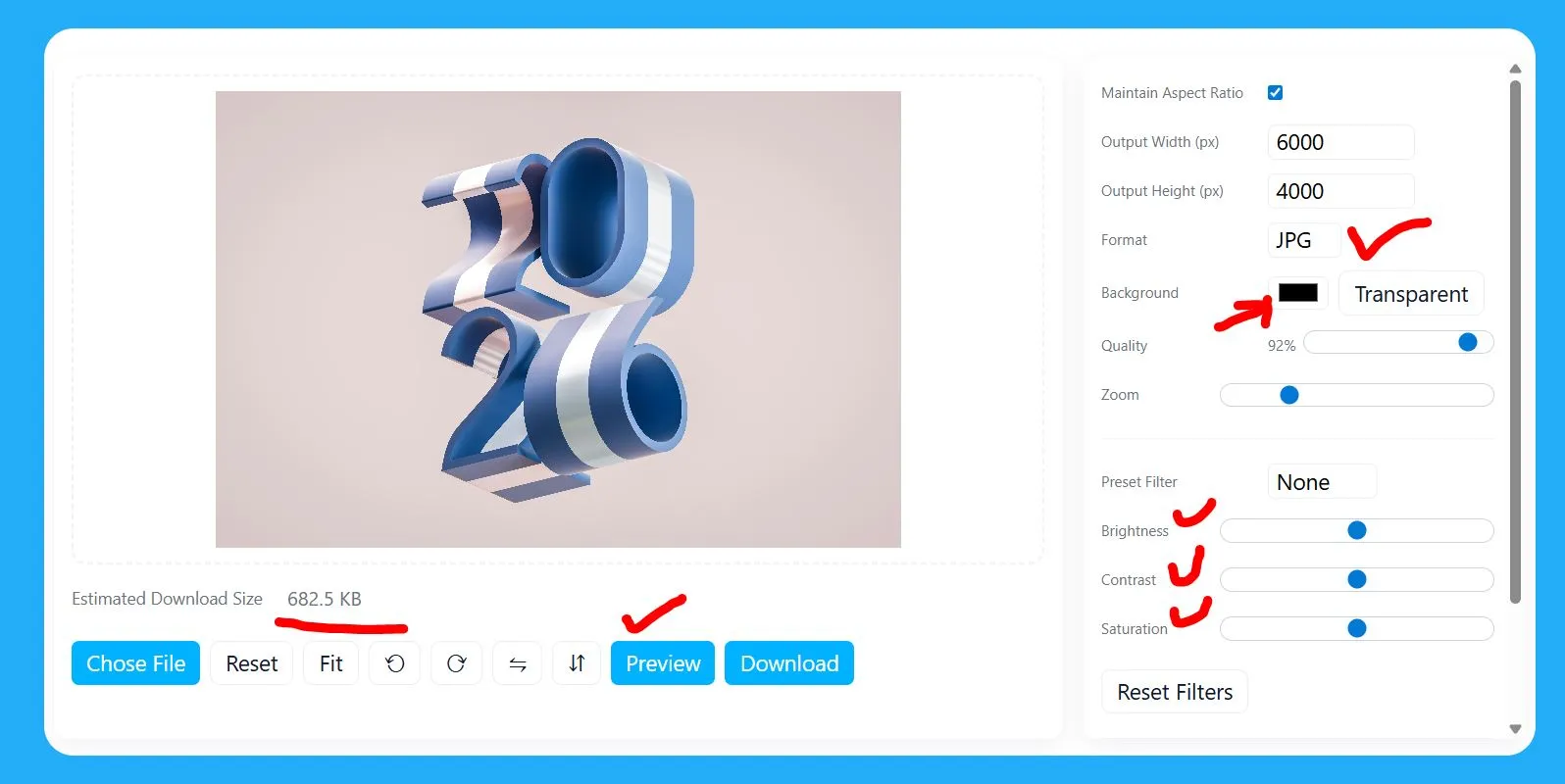
Key Features of Free Image Resizer Online
1. Instant Image Resizing
Resize your images in seconds with just one click. Upload, adjust, and download instantly no waiting, no extra steps.
2. Maintain Original Quality
Our smart compression keeps your photos clear and sharp, even after resizing. You can reduce image size in KB or dimensions without any visible loss in quality.
3. Resize to Custom Size or KB
Need your photo under 25KB or 50KB? Just enter your desired size, and the tool adjusts automatically. Perfect for forms, job applications, and web uploads.
4. Supports All Popular Formats
Upload images in JPG, JPEG, or PNG format. The tool handles them all smoothly without conversion errors.
5. Free and Unlimited Access
No hidden fees, no sign-ups. Resize as many images as you want completely free.
6. No Quality Watermarks
You get clean, watermark-free images every time. Use them anywhere without restrictions.
7. Mobile & Desktop Friendly
Whether you’re on a phone, tablet, or computer, the tool works smoothly across all devices.
8. Perfect for Social Media
Get your photos ready for Instagram, Facebook, or Pinterest by setting exact post dimensions like 1080×1080 or 1080×1350.
9. Safe & Secure
Your images are processed instantly in the browser and never stored on any server. 100% privacy guaranteed.
10. Optimized for Web Performance
Reduce image size to make your website faster and improve SEO performance. Works great with Google PageSpeed Insights recommendations.
11. Beginner-Friendly Interface
Simple layout and clear buttons make resizing easy for everyone — no technical knowledge needed.
12. Smart Aspect Ratio Control
Keep your photos looking natural by locking or unlocking the aspect ratio. Avoid stretched or squished images.
13. Preview Before Download
View the resized image before saving it, so you always get perfect results.
14. Compatible With Design Tools
You can resize images exported from tools like Canva or Adobe Express with full control over size and quality.
15. Ideal for Professionals & Photographers
Photographers can easily optimize large RAW or JPEG photos for web or sharing without affecting detail or tone.
Why Use a Free Image Resizer Online
High-quality photos often come with large file sizes. These can slow down websites, make uploads difficult, and take up too much space on your phone or computer. A free image resizer solves all of that instantly.
Here’s what makes it useful:
- Faster uploads: Perfect for websites and emails.
- Better performance: Reduce file size without losing clarity.
- Easy sharing: Resize images for Instagram, Facebook, or WhatsApp.
- Saves storage: Keep more photos in the same space.
If you’re resizing images for your website, learn more about image compression best practices from Google’s official PageSpeed guide.
How to Resize an Image in Seconds?
Resizing an image online takes only a few steps:
- Upload your image (JPG, PNG, or JPEG).
- Choose the new width or height.
- Click resize.
- Download your resized photo instantly.
You can also resize images to 25KB or any custom size. The tool automatically compresses the file while keeping the image clear and sharp.
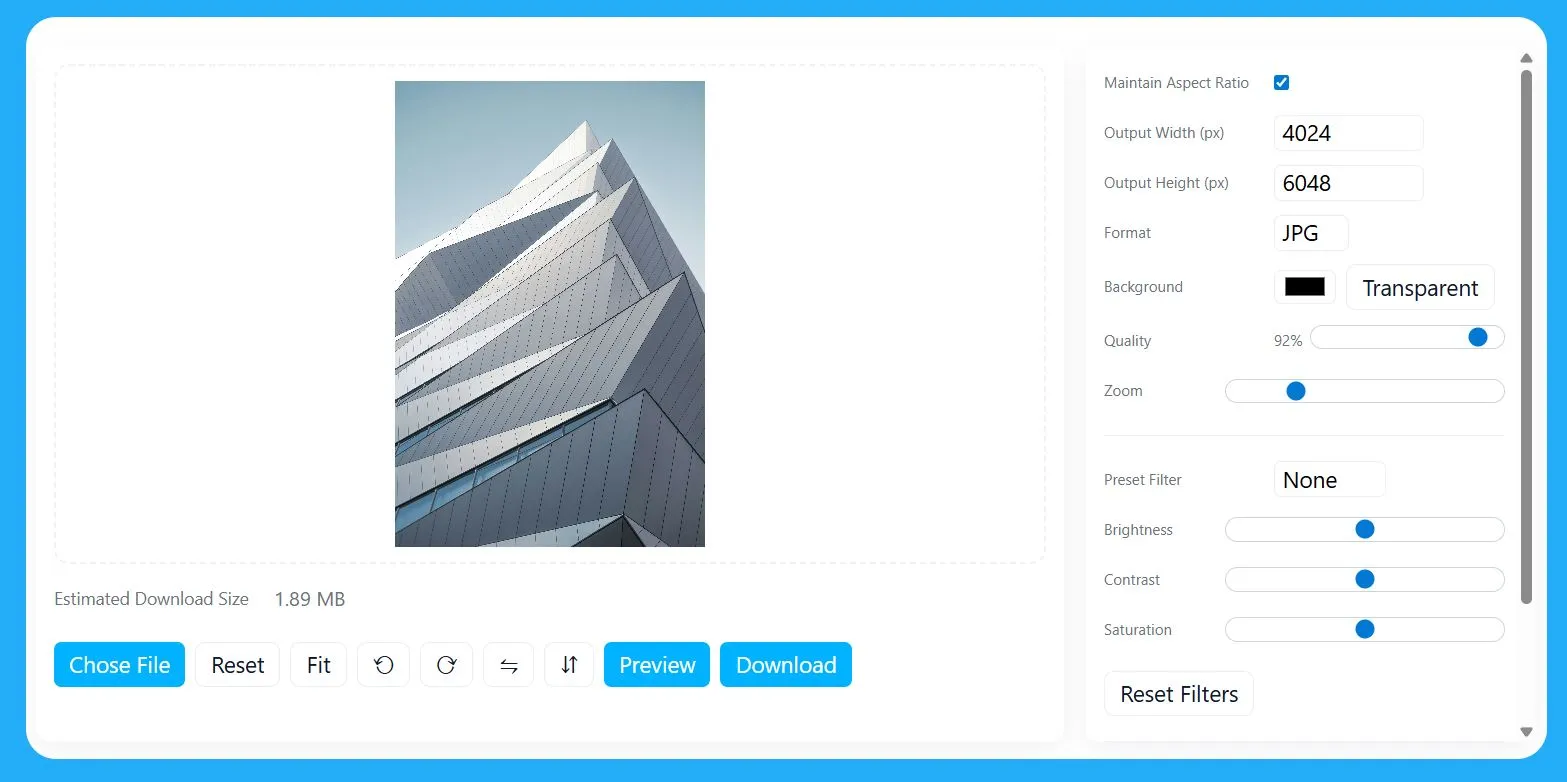
Best Free Image Resizer Without Losing Quality
Many tools shrink images but damage quality. Our tool uses smart compression to reduce image size in KB while keeping every pixel clean.
Benefits include:
- Clear images even after compression.
- Support for all popular file types.
- Fast and secure no image stored on servers.
If you want professional results, this tool gives you the best free image resizer without losing quality.
Also, check out our Free Image Compressor for deeper optimization.
How to Resize Image for Instagram?
Instagram has specific size limits for photos. You can use the free image resizer online to fit your images perfectly.
Here’s a quick guide:
- Square posts: 1080 x 1080 pixels
- Portrait posts: 1080 x 1350 pixels
- Landscape posts: 1080 x 566 pixels
Just upload your photo, enter the right dimensions, and download the resized version ready to post instantly.
If you need more details, see the official Instagram Image Size Guide.
How to Resize an Image on Mac?
Mac users can easily resize images using our online resizer. No need for Photoshop or heavy software.
Steps:
- Open Safari or Chrome on your Mac.
- Visit the Free Image Resizer Online tool.
- Upload your image.
- Adjust the width and height or choose from presets.
- Click “Download” to save the resized image.
It’s faster and easier than using Preview or Adobe apps.
If you often work on Mac, try our Online Image Converter for fast file format changes.
How to Reduce Image Size in KB
Reducing image size in KB is helpful when uploading documents, job applications, or online forms.
Follow these steps:
Upload your image.
Choose the desired size (like 25KB or 50KB).
Click compress.
Download the new image.
Our tool smartly compresses images, so you get the perfect balance between small file size and sharp visuals.
How to Make a Photo Less Than 50KB?
Some websites ask for images under 50KB. You can achieve that in seconds.
Here’s how:
Upload your photo.
Choose “50KB” as your target size.
Download your resized image.
That’s it. No blurry photos, no wasted time.
Best Free Image Resizer Tool for Photographers
Photographers often deal with large RAW or high-resolution images. A free image resizer tool helps them share and upload faster without losing details.
Use it to:
Resize wedding or event photos.
Prepare images for social media portfolios.
Send sample images to clients quickly.
It keeps the image crisp while cutting down file size, perfect for professionals.
Quick Comparison
Feature | Free Image Resizer Online | Adobe Free Image Resizer |
Free access | ✅ | ⚠️ Limited |
No sign-up | ✅ | ❌ |
Keeps quality | ✅ | ✅ |
Resize to KB | ✅ | ❌ |
Easy to use | ✅ | ⚠️ Requires steps |
Our tool wins for simplicity, speed, and zero-cost resizing.
Tips for Better Image Resizing
Always start with high-quality photos.
Use “Resize to KB” option for web optimization.
Avoid resizing the same image multiple times.
Keep aspect ratio locked for balanced proportions.
Try different sizes for social platforms like Instagram, LinkedIn, and Pinterest.
Frequently Asked Questions
1. How to resize image to 25KB?
Upload your photo, select the 25KB option, and download the resized version. It automatically adjusts without blurring.
2. How to resize image without losing quality?
Use our free image resizer online. It uses smart compression, keeping your photo sharp even after reducing size.
3. How to resize image for Instagram?
Choose preset dimensions like 1080 x 1080 or 1080 x 1350, then upload and resize instantly.
4. What is the best free image resizer for photographers?
Our tool is perfect for photographers who want to compress large images quickly without affecting detail.
5. How to make a photo less than 50KB?
Simply set the target file size to 50KB in the tool and click resize. The tool does the rest automatically.
Final Thoughts
A good image resizer saves time, improves performance, and keeps your visuals sharp. Whether you need to resize images for Instagram, reduce size to 25KB, or optimize for websites, our Free Image Resizer Online gives you all-in-one control.
Resize. Compress. Download. All in a few clicks, no experience required.