Rotate PDF Pages Online – Free & Easy PDF Page Rotation Flip Tool
Rotating PDF pages should be quick, simple, and secure. Our tool allows you to rotate, flip, and turn pages with just a few clicks. Whether your document is sideways, upside down, or requires specific page adjustments, this tool helps you fix it instantly without the need to install any software.
Note: You can rotate PDF pages for free, directly in your browser. Your files are processed locally, making the experience fast, private, and easy for everyone.
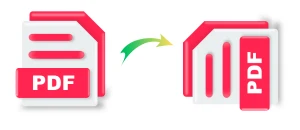
What Is a Rotate PDF Tool and What Can You Do With This Tool?
A rotate PDF tool allows you to change the orientation of pages inside a PDF document. You can rotate pages left, right, or upside down to make the document readable and properly aligned.
With this tool, you can:
Rotate an entire PDF document
Rotate selected pages only
Flip PDF pages without changing content
Rotate and save the corrected PDF instantly
How to Rotate PDF Pages And Save IT?
If you are wondering how to rotate PDF pages online for free,
Follow these simple steps:
Choose your PDF file using the Choose File button (The tool shows all the pdf pages in a grid view)
Preview all PDF pages clearly
Choose how you want to rotate each page by clicking the buttons, or you can flip the pdf pages also.
Rotate individual pages or the full PDF
- After rotating your page,s follow the next step
Click download to save your rotated PDF document
That’s it: no signup required, no watermark, and no waiting time. The tool works on your browser dont worry about privacy and file security.
Why Use Our Rotate PDF Online Tool?
- Rotate PDF online instantly
- Flip PDF pages online with preview
- Rotate a PDF document without losing quality
- Works on mobile, tablet, and desktop
- No registration or software download
- Fast, free, and easy to use
Common Use Cases of PDF Page Retator Tool- When use this?
Fix sideways-scanned PDFs
Rotate pages from phone-scanned documents
Correct flipped pages in contracts
Adjust PDF orientation before printing
Edit PDFs without using paid software
Rotate PDF and Save Securely
When you rotate a PDF and save, the original layout, text quality, and formatting remain unchanged. Only the page orientation is adjusted.
Your privacy matters:
Files are not uploaded to any server
Everything works inside your browser
No files are stored or shared
Safe for personal and professional documents
Restriction and Limitations
This tool lets you rotate PDF pages for free without restrictions or limits. You can flip one page or multiple pages as many times as needed. There are no hidden charges, file size limits, or daily usage caps.
It works perfectly for:
Scanned PDFs
School assignments
Office documents
Contracts and reports
Mobile-scanned PDFs with wrong orientation