Secure File Converter Without Uploading Files to Server
The Problem: Online File Converters Can Risk Your Privacy
Many people use online file converters every day. We convert PDFs to Word, PDF to JPG, or compress files to save space. These tools are fast and convenient—but there is a big problem most users don’t think about.
Most online file converters upload your files to their servers.
That means your personal or business files leave your device and are sent to someone else’s system. Even if the website says “we delete files after conversion,” you still have to trust them.
This can be risky, especially when your files contain:
- Personal documents
- Office or client files
- Legal papers
- Private images
- Financial information
- Data storage risks
- Unauthorized access
- Tracking or logging
- Potential data leaks
In today’s world, privacy matters more than ever.
What Is the Safer Alternative?
The safest option is a client-side file converter. Client-side conversion processes files locally in the browser, without sending data to any server.
Key benefits:
- No server storage.
- Full user privacy.
- Faster processing.
- Browser-based file conversion.
- No file storage or logs.
- No account required.
- Free and easy to use.
Why Uploading Files to a Server Is Not Safe?
When a file is uploaded to a server:
- You don’t know where it is stored
- You don’t know who can access it
- You don’t know how long it stays there
- There is always a risk of data leaks
That’s why many users now search for a secure file converter that doesn’t upload files to a server.
What People Really Want: No Upload, Full Privacy
Modern users want tools that work inside the browser, not on remote servers. This is called client-side file conversion.
With this method:
- Files stay on your device
- Nothing is uploaded
- No data is saved
- Your privacy is protected
This is the safest way to convert files online.
The Solution: Freeconverter.cloud
freeconverter. Cloud is made to solve this privacy problem.
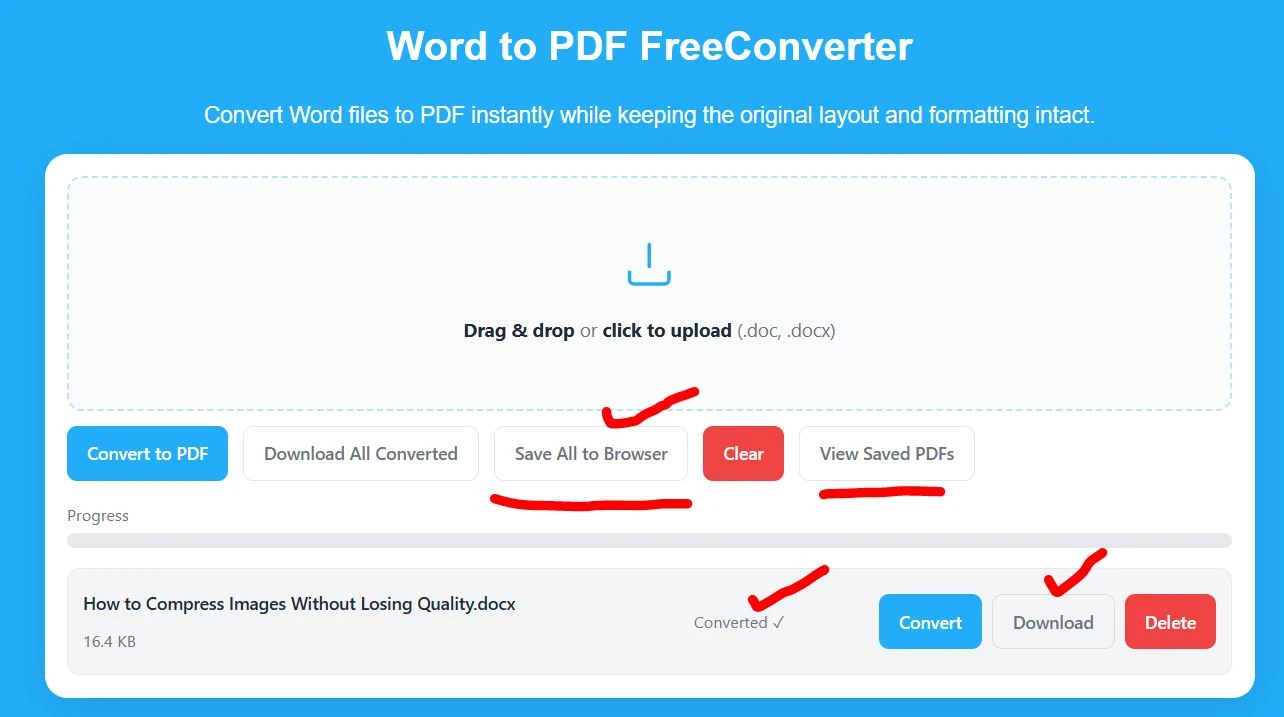
It is a secure file converter that does not upload your files to any server. All file processing happens directly in your browser.
How Freeconverter.cloud Keeps Your Files Safe
- ✅ No file uploads
- ✅ No server storage
- ✅ No tracking
- ✅ No login or account needed
- ✅ Files stay on your device
You choose your file, convert it, and download the result—that’s it.
Who Should Use a Secure File Converter?
A serverless file converter is ideal for:
- Users handling sensitive documents.
- Businesses and freelancers.
- Students and professionals.
- Anyone concerned about file privacy.
- Students.
- Freelancers.
- Office workers.
- Business owners.
- Designers and creators.
- Anyone who cares about privacy.
If you don’t want your files leaving your device, this tool is for you.
What makes it special:
- Easy-to-use interface
- Works on desktop and mobile
- Free file conversion tools
- No risk of data exposure
- Built with a privacy-first mindset
Server vs. Browser-Based File Conversion Comparison
| Feature | Server-Based File Converter | Browser-Based File Converter (Freeconverter.cloud) |
|---|---|---|
| File Upload Required | Yes, files must be uploaded to a server | No, files stay on your device |
| Data Privacy | Lower privacy, files leave your system | High privacy, no data sharing |
| File Storage Risk | Files may be stored temporarily | No storage at all |
| Security Risk | Risk of leaks or misuse | Very low risk |
| Internet Dependency | Works instantly in the browser | Works instantly in browser |
| Trust Required | You must trust the server owner | No trust needed |
| Account Needed | Often required | Not required |
| Processing Location | Remote server | Your web browser |
| Best for Sensitive Files | Not recommended | Highly recommended |
| Example | Traditional online converters | Requires a stable upload connection |
Final Thoughts
Most online file converters are not truly private because they upload your files to a server. That’s the real problem.
If you want a secure file converter that doesn’t upload files to a server, freeconverter.cloud is the right solution.
Your files stay on your device.
Your data stays private.
And you convert files with peace of mind.
Frequently Asked Questions (FAQ)
What is a secure file converter that doesn’t upload files to a server?
A secure file converter that doesn’t upload files to a server, it converts files directly in your browser. Your files stay on your device and are never sent to external servers, keeping your data private and secure.
Why should I avoid file converters that upload files to servers?
File converters that upload files can expose your data to privacy risks. Uploaded files may be stored temporarily, logged, or accessed by third parties. This is unsafe for personal, business, or confidential documents.
How does a no-upload file converter work?
A no-upload file converter uses client-side processing. The conversion happens locally in your web browser instead of on a remote server, so files never leave your device.
Does FreeConverter upload files to its server?
No. This does not upload files to any server. All file conversion happens inside your browser, ensuring full privacy.
Are my files stored when using freeconverter.cloud?
No. Freeconverter.cloud does not store, save, or log your files. Once the conversion is complete, your files remain only on your device.
Is freeconverter.cloud safe for sensitive documents?
Yes. Because files are never uploaded or stored, freeconverter.cloud is safe for sensitive documents such as contracts, financial files, academic papers, and personal records.
Do I need to create an account to use freeconverter.cloud?
No. Freeconverter.cloud does not require sign-up or login. You can convert files instantly without sharing personal information.
Is Free Converter free to use?
Yes. Free converter offers free file conversion tools with a privacy-first approach.
Who should use a secure, no-upload file converter?
A secure file converter is ideal for students, professionals, freelancers, businesses, and anyone who values privacy and data security.
Why is FreeConverter a good choice for private file conversion?
Freeconverter combines browser-based processing, zero file uploads, ease of use, and fast performance. It allows users to convert files online without compromising privacy.