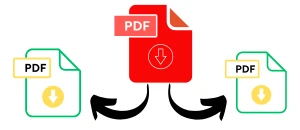
Supported Features
- Split PDF documents online for free
- Extract specific pages from PDF files
- Remove unwanted pages quickly
- Rearrange PDF pages with drag-and-drop
- Works with files up to 200 MB
- No sign-up or installation required
- Fast browser-based processing
- Mobile, tablet, and desktop compatible
How to Split a PDF Online
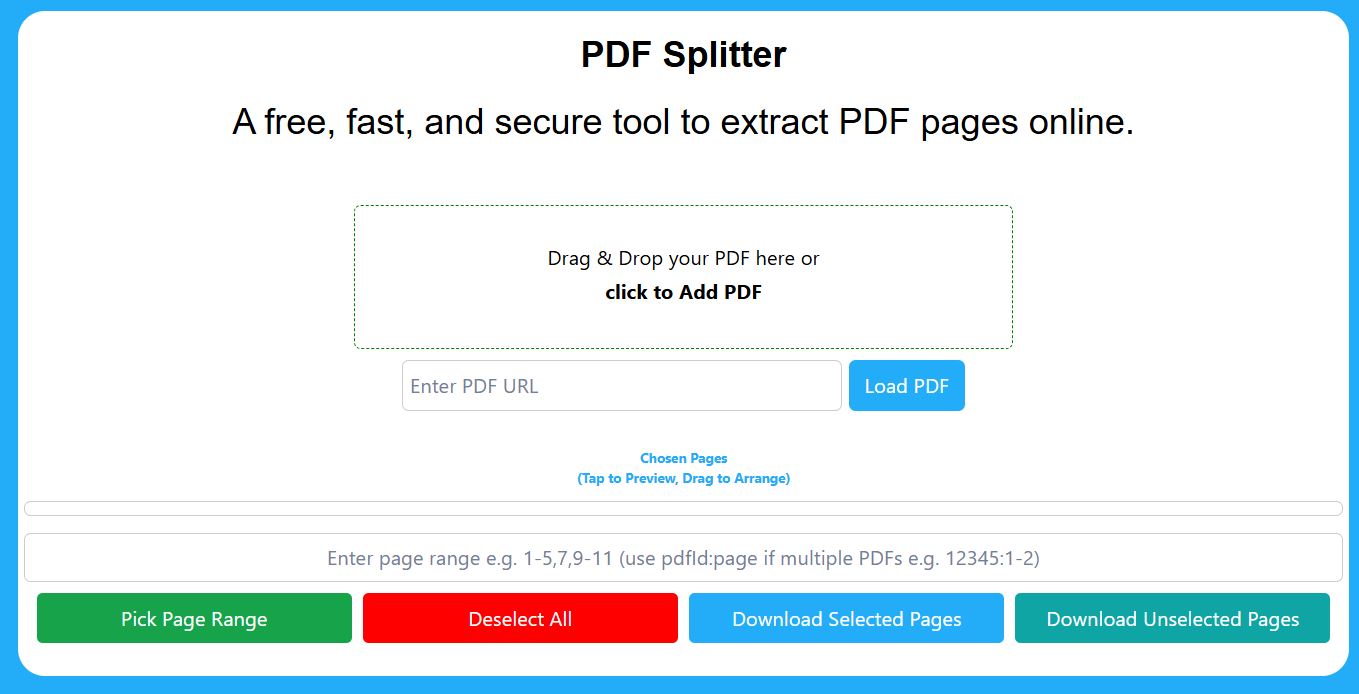
Splitting a PDF file only takes a few steps:
1. Upload Your PDF
Drag your PDF into the tool or click the upload button to select a file from your device.
2. Select Pages
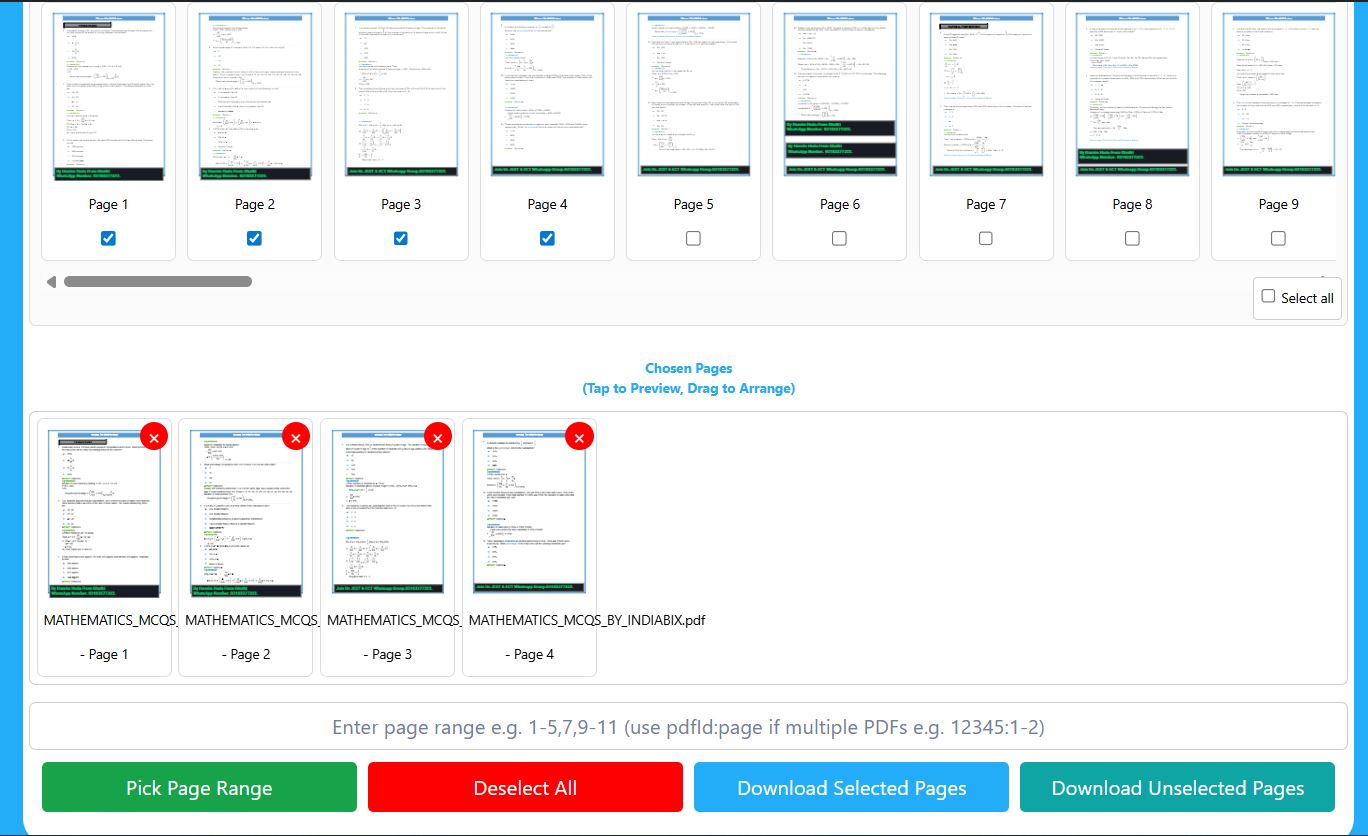
Choose the pages you want to keep, extract, or remove. You can select:
- Single pages
- Multiple pages
- Custom ranges like 1–5 or 8–12
3. Rearrange Pages (Optional)
Drag and drop selected pages into any order before downloading your file.
4. Download Your New PDF
Click:
- Download Selected Pages to extract pages into a new PDF
- Download Unselected Pages to remove selected pages from the original file
Your original PDF remains unchanged.
Why Use Our PDF Splitter?
Our tool is designed for fast, simple, and secure PDF management without complicated software.
Fast Processing:
Split large PDF files directly in your browser within seconds.
Secure and Private:
Your files are processed locally in your browser and are not stored on our servers.
No Installation Needed:
Use the tool online from any modern browser on Windows, Mac, Android, iPhone, or Linux.
Flexible Page Selection:
Extract consecutive pages, separate documents, or create smaller PDFs for sharing and storage.
Common Uses for Splitting PDFs
People use PDF splitters for many everyday tasks:
- Extracting invoices from large reports
- Separating scanned documents
- Splitting contracts or agreements
- Creating smaller PDFs for email sharing
- Organizing study notes and assignments
- Removing blank or unnecessary pages
- Saving only important sections from presentations
Key Features
Extract PDF Pages
Create a new PDF containing only the pages you need.
Remove PDF Pages
Delete unwanted pages without affecting the rest of the document.
Rearrange PDF Pages
Move pages into a new order using the visual drag-and-drop interface.
Works on Any Device
Use the tool on desktop, tablet, or mobile without compatibility issues.
No Watermarks
Downloaded files remain clean and professional.
Benefits of Browser-Based PDF Processing
Unlike many online PDF tools, files are processed directly inside your browser whenever possible. This provides:
- Better privacy
- Faster performance
- Reduced upload time
- Improved security for sensitive documents
Frequently Asked Questions
What is PDF Spliter?
A PDF splitter is an online tool that allows you to extract, remove, or rearrange pages from a PDF file without installing software.
How do I split a PDF online?
Upload your PDF, select the pages you want to extract or remove, and download the new PDF instantly.
Can I extract specific pages from a PDF?
Yes. You can select individual pages or page ranges and create a separate PDF containing only those pages.
Can I remove pages from a PDF file?
Yes. Select unwanted pages and use the “Download Unselected Pages” option to create a cleaned version of your PDF.
Can I rearrange PDF pages?
Yes. Drag and drop page thumbnails into a new order before downloading the updated PDF.
Is this PDF splitter free?
Yes. The tool is completely free to use with no registration required.
Do I need to install software?
No. Everything works directly in your web browser.
Are my files secure?
Yes. Your files remain private and are processed securely in your browser.
Does the tool work on mobile devices?
Yes. The PDF splitter works on phones, tablets, laptops, and desktop computers.
Can I split large PDF files?
Yes. The tool supports large PDF files up to 200 MB.
Related PDF Tools
You may also find these tools useful:
Conclusion
Our free PDF splitter makes it easy to split PDF files, extract pages, rearrange documents, and remove unwanted pages online. With fast browser-based processing, strong privacy protection, and an easy drag-and-drop interface, you can manage PDF documents efficiently on any device.
Disclaimer
All PDF processing happens directly in your browser. Files are never uploaded, stored, or shared with any server.
This PDF splitter tool is provided for general document management purposes. Users are responsible for ensuring they have permission to edit or split the PDF files they upload. While we prioritize privacy and secure browser-based processing, users should always keep backup copies of important documents before making changes.